
Self-Protection Guidelines
About this translation
This is an English translation provided for reference. If there is any difference between this translation and the Japanese version, the Japanese version takes precedence.
Because of how Misskey works, its timelines show posts not only from users you follow, but also from all users on the server and from other servers.
For this reason, you may come across content you don't like and feel uncomfortable.
Misskey has a set of functions you can use to avoid such situations.
Use Misskey's functions to avoid things you don't like or things that remind you of painful experiences, and enjoy a comfortable life on Misskey.
Functions for Protecting Yourself
Mute
This function hides the things you specify from you.
Even if you use the mute function, the other person is not directly notified of it.
Tip
- Mutes are applied retroactively.
- When you unmute, notes posted while muted are shown again too. (Notifications from muted users are not delivered while muted, and they do not appear after you unmute.)
Muting only hides things from you; it does not make them disappear.
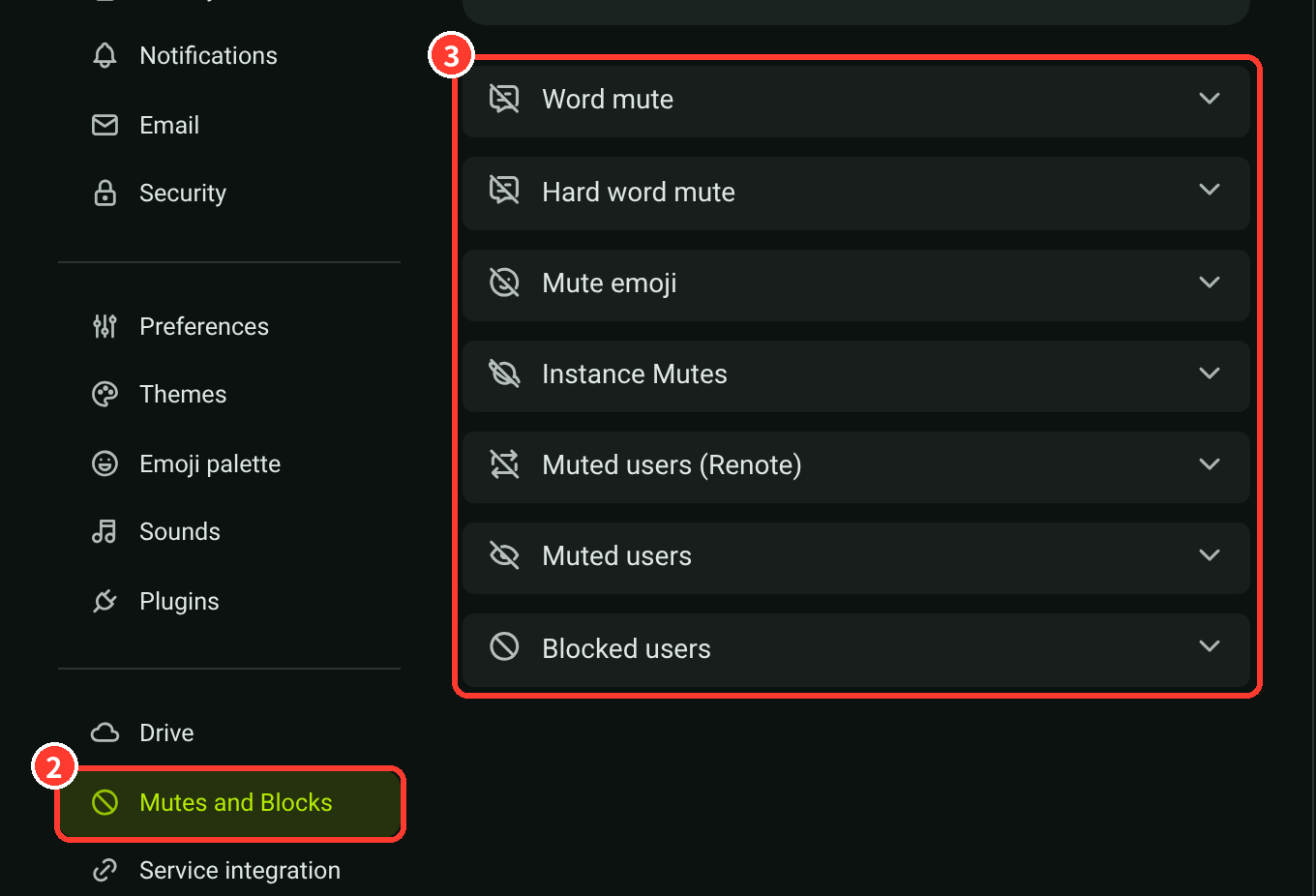
You can check and change your mute settings in "Settings" → "Mutes and Blocks".
Muting Users
When you mute a user, their posts and other activity are hidden from you.
You can choose how long the mute lasts from 10 minutes, 1 hour, 1 day, 1 week, or indefinitely, so you can also use it to stay away from a specific user for a while.
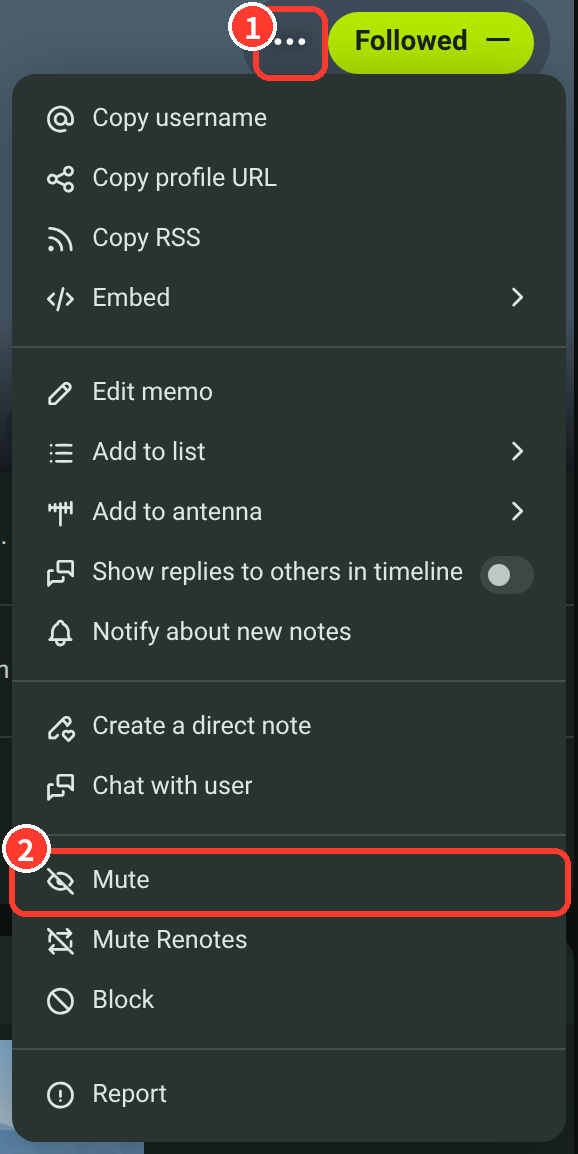
To mute a user, press "…" (①) on their profile and choose "Mute" (②).
Muting Words
Word Mute
With word mute, posts that contain the specified words are replaced with the text "xxx said something".

You can see the original post by clicking it.
This function keeps the words from coming directly into view.
Hard Word Mute
Unlike word mute, posts that contain the specified words are completely hidden.
Muting Servers
With instance mutes, posts from the specified servers are hidden.
You can set them in "Settings" → "Mutes and Blocks" → "Instance Mutes".
Block
When you block a user, they can no longer follow you or react to your notes.
Unlike muting, use it when you want to prevent the other person from interacting with you at all.
Display of Sensitive Media
On Misskey.art, some NSFW works are posted with only "Sensitive" set (NSFW categories).
You can choose how media marked as sensitive are shown in "Display of sensitive media" under "Settings" → "Preferences" → "Timeline and note".
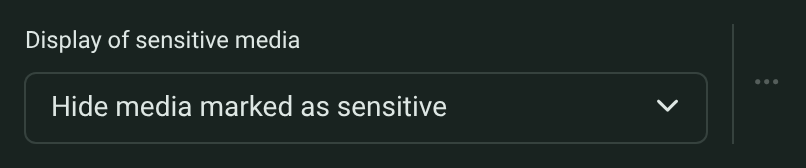
- Hide media marked as sensitive
- Media marked as sensitive are hidden until you click them.
- Display media marked as sensitive
- Media marked as sensitive are also shown as they are. Not recommended if you don't like NSFW works.
- Hide all media
- All media are hidden until you click them, whether or not they are marked as sensitive.
Also, if you turn on "Confirm when revealing sensitive media" under "Preferences" → "General", a confirmation is shown before media marked as sensitive are opened.