
NSFW Guidelines
About this translation
This is an English translation provided for reference. If there is any difference between this translation and the Japanese version, the Japanese version takes precedence.
NSFW criteria
- Content with a lot of exposure
- Content in which private areas (the areas covered by a swimsuit) are exposed
- Content that is not suitable for viewing in public places such as workplaces or trains
- Content that depicts bodily fluids other than tears or sweat[1]
- Content drawn with sexual intent
- Content that contains gore[2]
Censor (mosaic) content that contains the following elements
- Genitals or parts that suggest them
- Areas of genital contact and insertion
- Areas of anal contact and insertion
- Parts of cuts, lacerations, etc. that are depicted in detail and excessively (cut or lacerated parts, cross sections, internal organs, etc.)
Posting NSFW Images
The required settings depend on the NSFW category (mild or severe). See the Rules for the categories.
If you are not sure which category applies, treat it as severe.
Mild
- Turn on "Sensitive" for the attached NSFW image.
Severe (R-18, R-18G, etc.)
- Turn on "Hide content (eye icon)".
- Write a warning (NSFW, R-18, etc.) in the "Comments" field.
- Write an outline of the file and the attributes it contains in the text.
- Turn on "Sensitive" for the attached NSFW image.
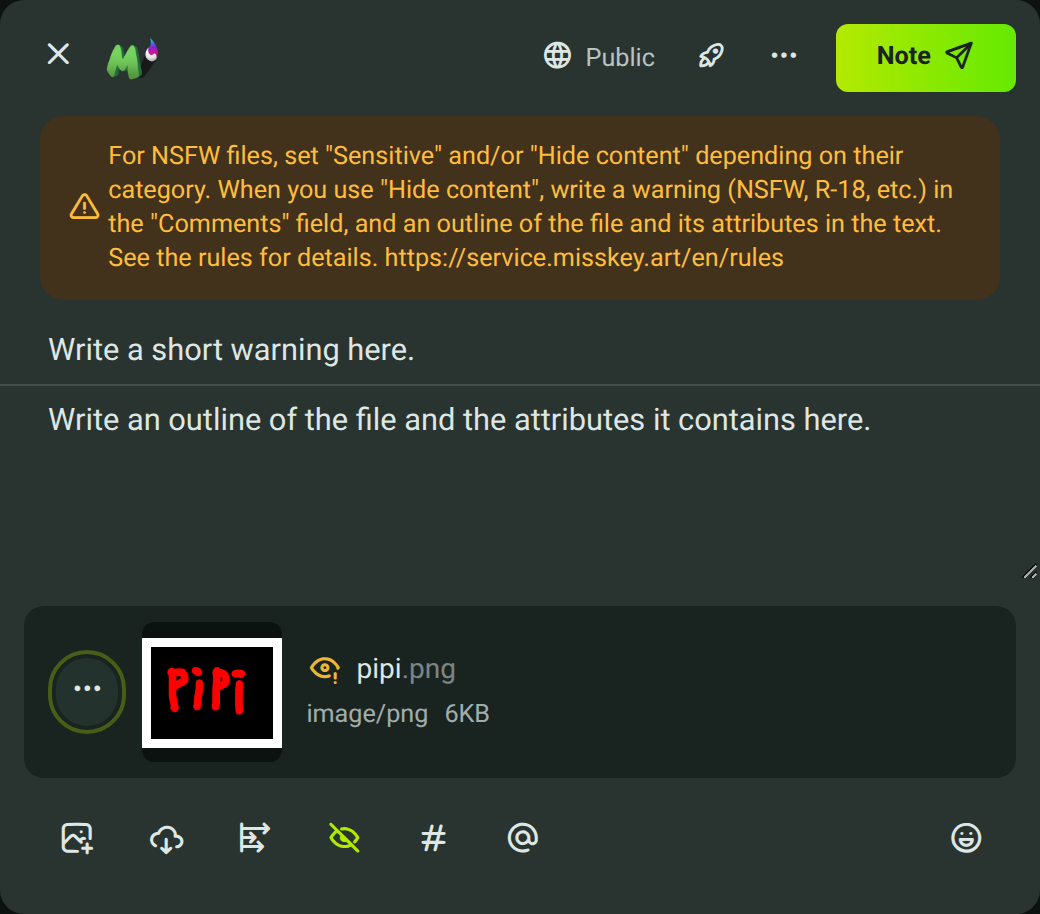
If you post this way, it looks like this:
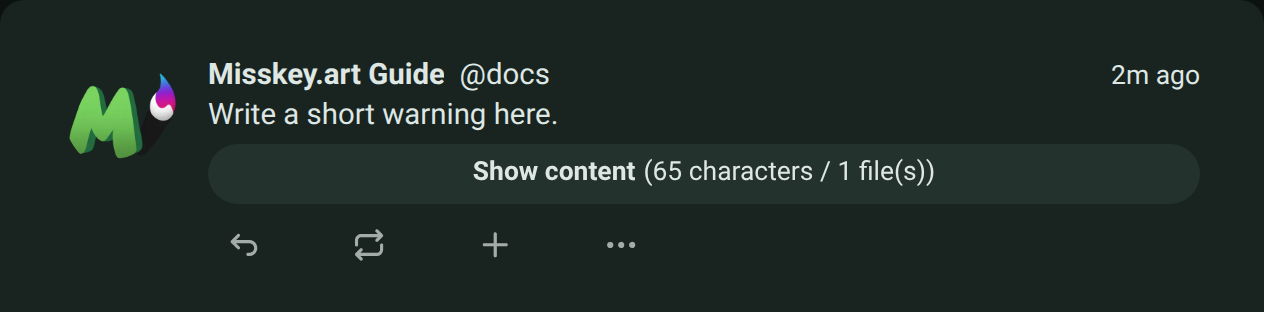
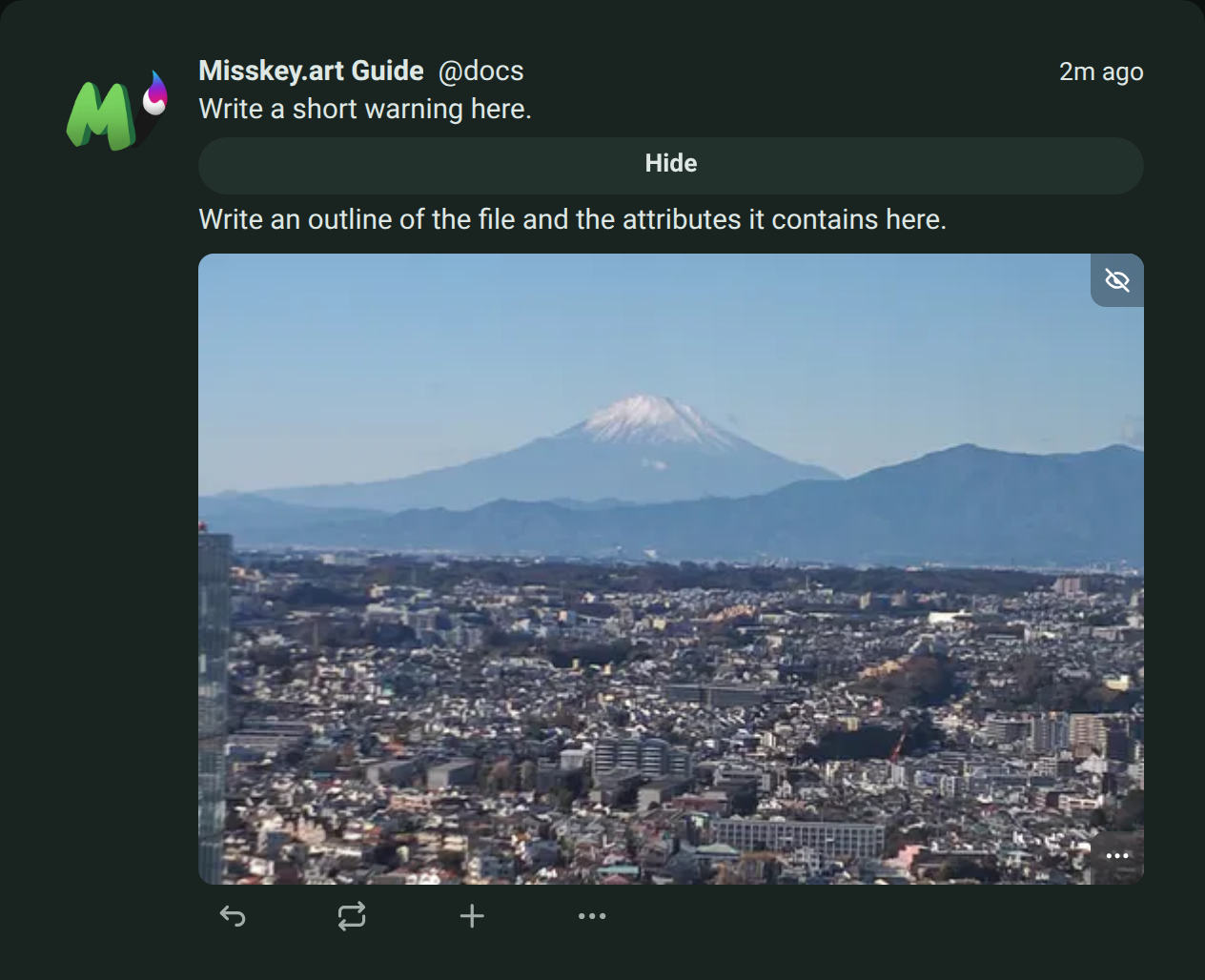
Tip
There is also a channel just for NSFW illustrations.
By using the channel, you can post only to the timelines of users who follow that channel. Feel free to use it.
Using NSFW Images in the Gallery
Meet all of the following requirements:
- The title contains "a string that shows it contains NSFW images", such as "NSFW"
- "Mark as sensitive" is turned on
- A cushion image is set as the first image in the gallery
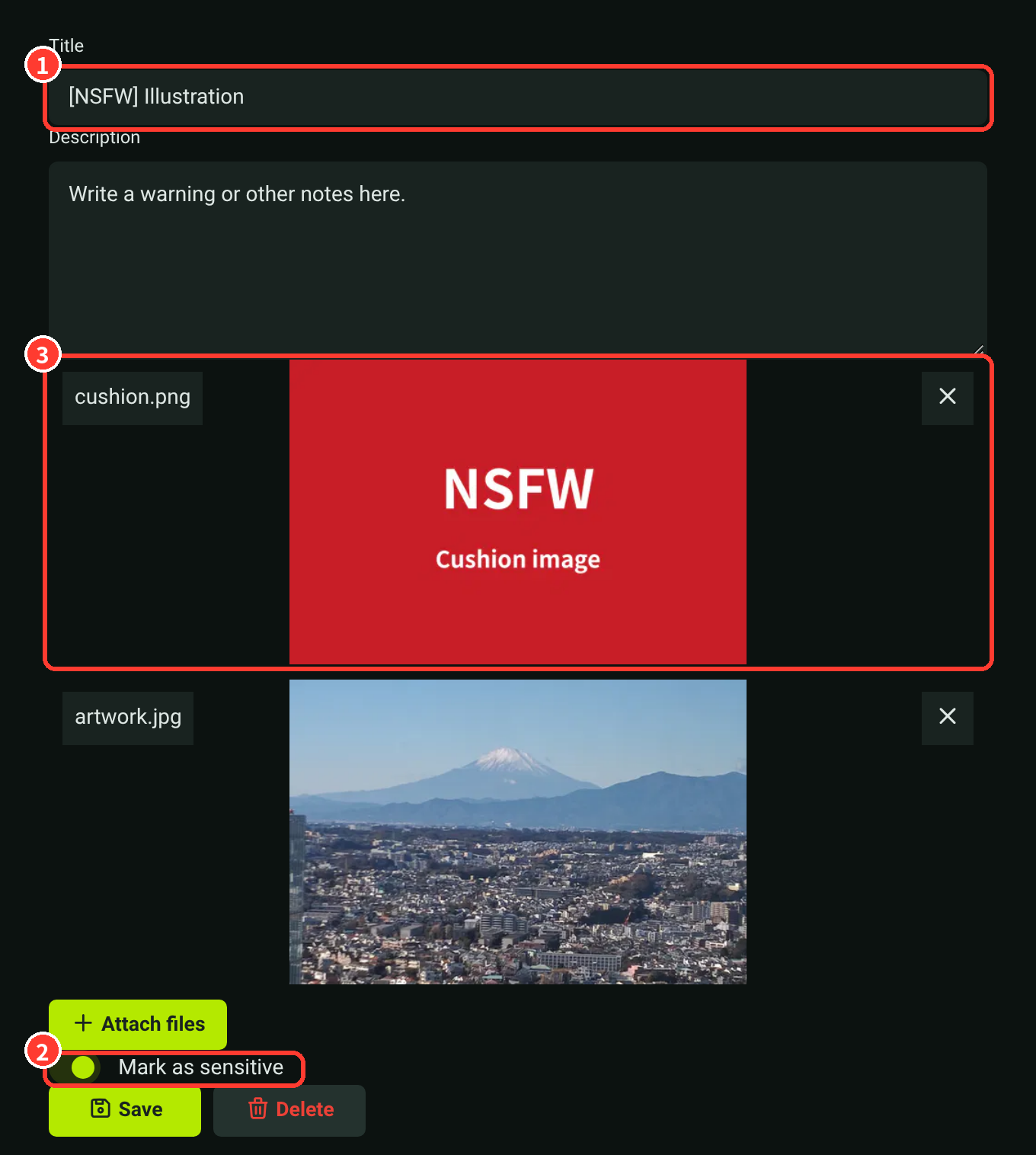
If we find a gallery post that does not meet even one of these requirements, we will contact you by message.
However, if there is no response for more than 24 hours, we may delete the gallery post or take other actions.
Renoting NSFW Works
How to renote depends on the settings of the original note.
When the Original Note Has the Settings Required for Its Category
You can renote it as it is.
The "Sensitive" and "Hide content" settings of the original note are kept when it is renoted.
When the Original Note Lacks the Required Settings
This is when nothing is set, or when only "Sensitive" is set for a severe work (NSFW categories).
Because you cannot set "Hide content" on a normal renote, use "Quote" and set "Hide content" before renoting.
When you set "Hide content", the quoted original note is hidden too.
- Press the renote button of the original note and choose "Quote".
- Turn on "Hide content (eye icon)" and write a warning (NSFW, R-18, etc.) in the "Comments" field.
- Post it.
Tip
A note that lacks the required settings may be breaking the rules. You can also report it instead of renoting it.