Reporting Guidelines
About this translation
This is an English translation provided for reference. If there is any difference between this translation and the Japanese version, the Japanese version takes precedence.
What Is the Report Function?
It is a function for Misskey.art users to report a post to the administrators when they decide that "another user is posting something inappropriate".
You can report posts that violate the Rules or the Posting Guidelines, such as "notes with NSFW images attached without the settings required for their NSFW category" or "notes that contain violent statements".
It may take several days until a report is handled.
Also, depending on the content of the report, we may not take action. Thank you for your understanding.
Tip
If you are not sure what to do, contact a moderator directly.
Mentioning it where others can see it, such as on the timeline, is prohibited.
In principle, there is no penalty for "reporting too much".
Rather, it is a bigger problem when "inappropriate posts that should be reported are left as they are".
If you feel even a little that "there is a problem", please report it.
Things to Note
If You Suspect Copyright Infringement, Such as Unauthorized Reposts
If you find content (such as images, videos, or text) that may infringe copyright, such as someone else's work reposted as it is, or someone else's work posted as one's own, be sure to include the following information in the report.
- Proof that you own the intellectual property rights, or a place where an example of the work being legally published can be checked (information that shows the URL, the date the work was created, the creator, etc.)
- The reason for the report (it is an unauthorized repost, it imitates the work, it contains you, it uses your name, etc.)
About fan works
You don't need to report fan works (such as fan art) just because they are fan works.
How far fan works are allowed is decided by the fan work guidelines set by the rights holders of each original work. See the Posting Guidelines for details.
How to Report
Reporting a Note
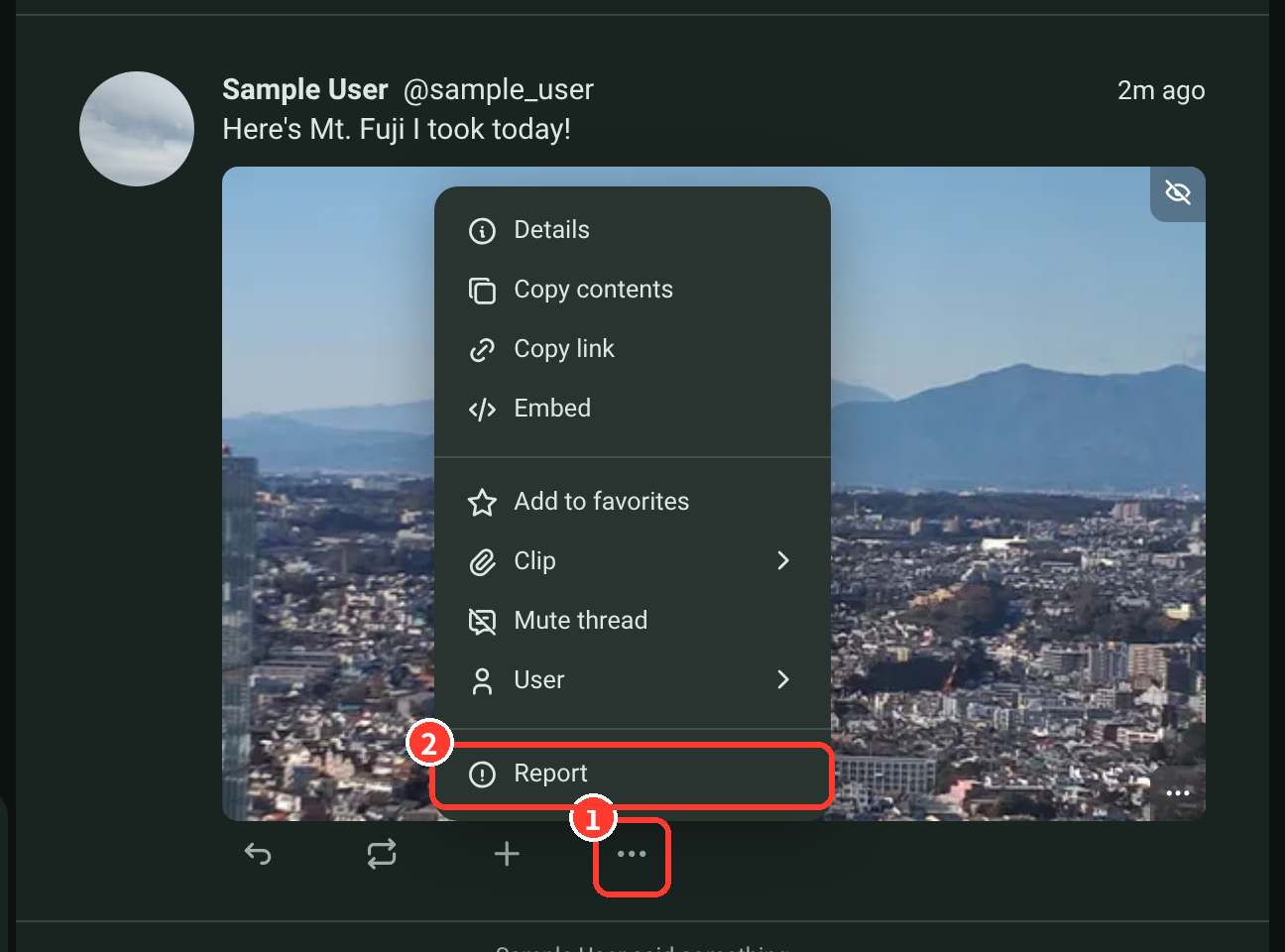
- Click the "..." button of the note you want to report.
- Click "Report".
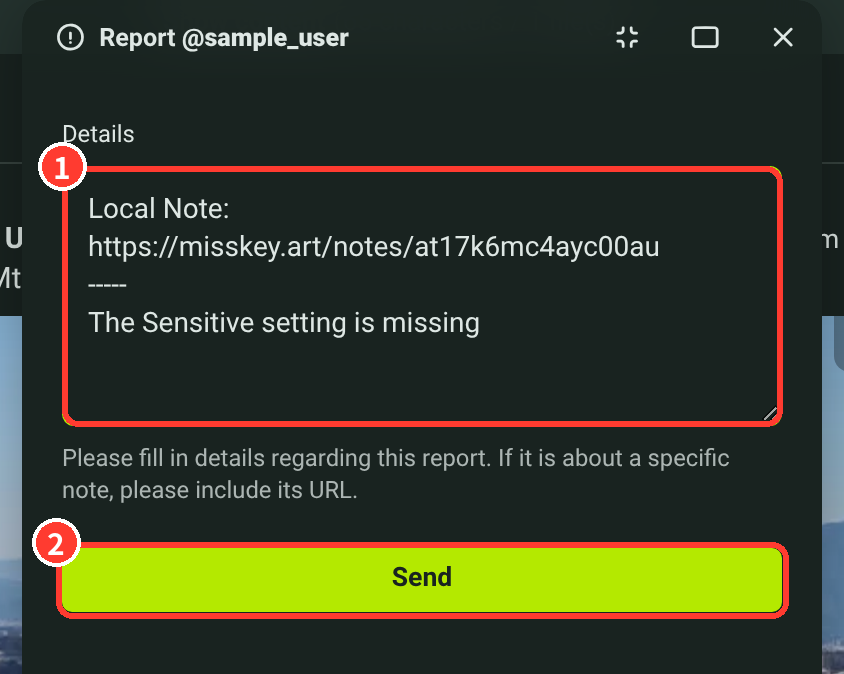
- Describe the violation (such as a missing "Sensitive" setting), and click "Send" to complete the report.
Reporting a User
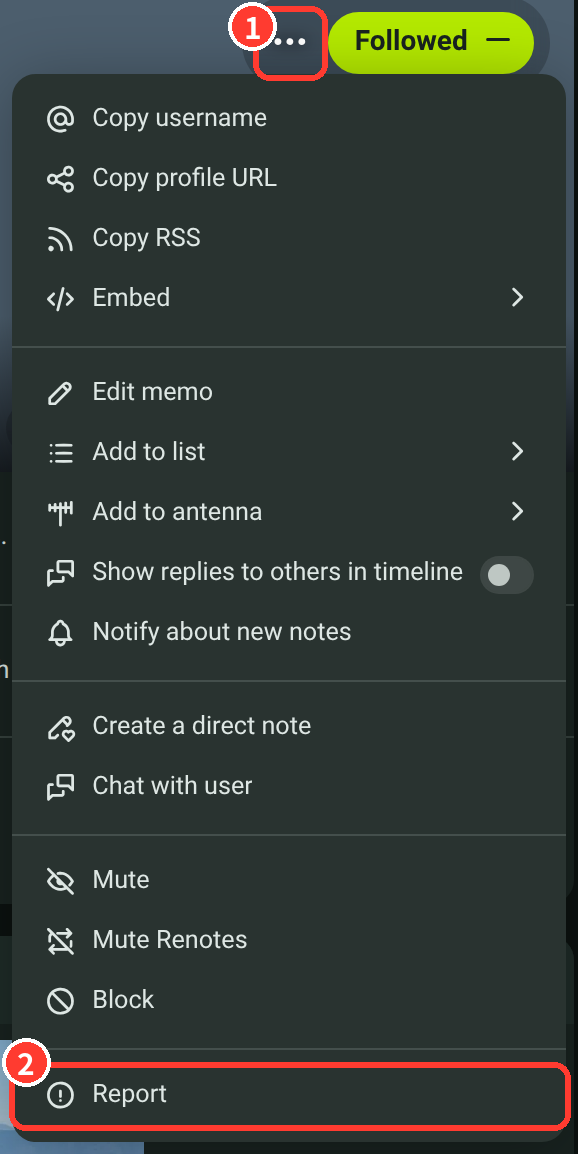
- Click the "..." button of the user you want to report.
- Click "Report".
- Describe the violation (such as an inappropriate avatar), and click "Send" to complete the report.
When You Cannot Use the Report Function
If you find a note or user that violates the rules or guidelines, never mention it on the timeline or elsewhere, and report it in the way described above.
For problems that happened on Discord, or when you cannot use the report function, contact an administrator directly with the following steps.
You can find the administrators from "Explore" in the sidebar → "Roles" at the top of the screen → "Moderator".
- Open the profile of the administrator you want to contact, and press "…".
- Press "Create a direct note".
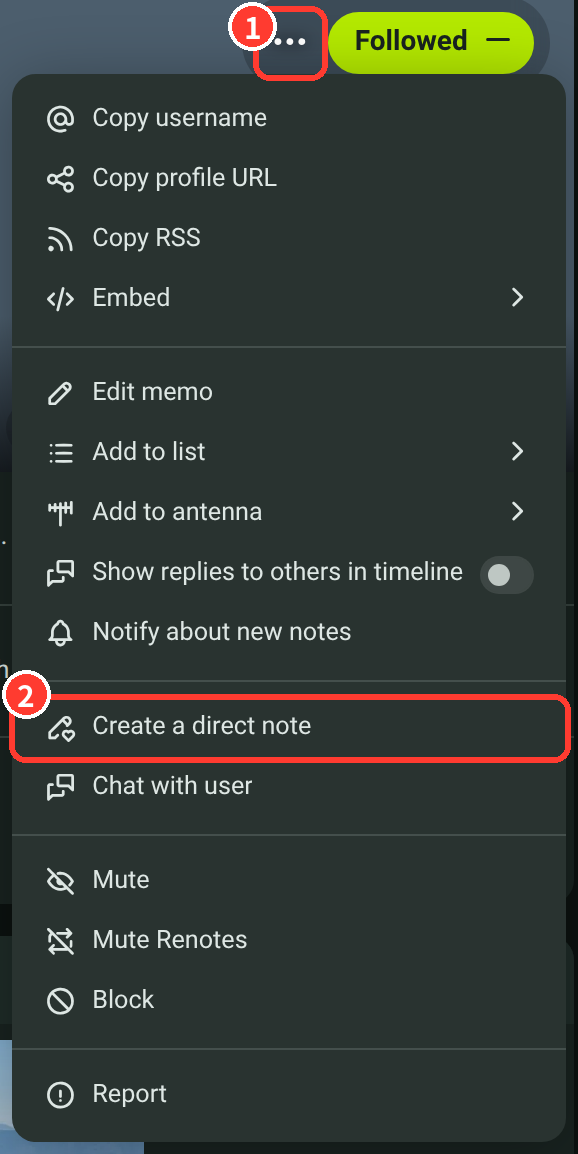
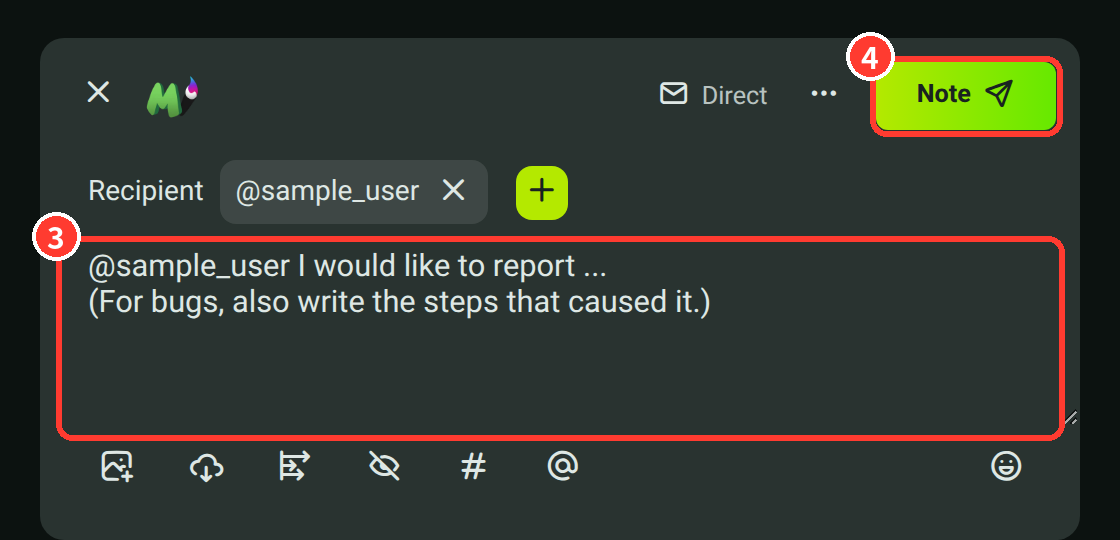
- Check that the visibility is "Direct" and that the administrator is in the recipients, then write your message (for bugs, also write the steps that caused it).
- Press "Note" to send it.